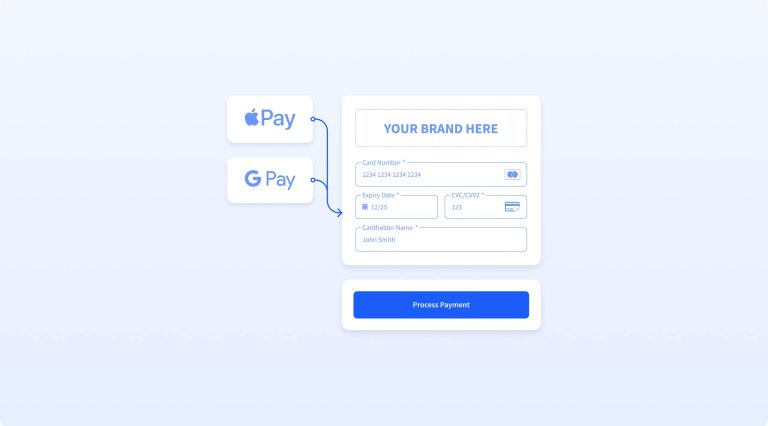
A sneak peek inside the new Blink Payment platform experience
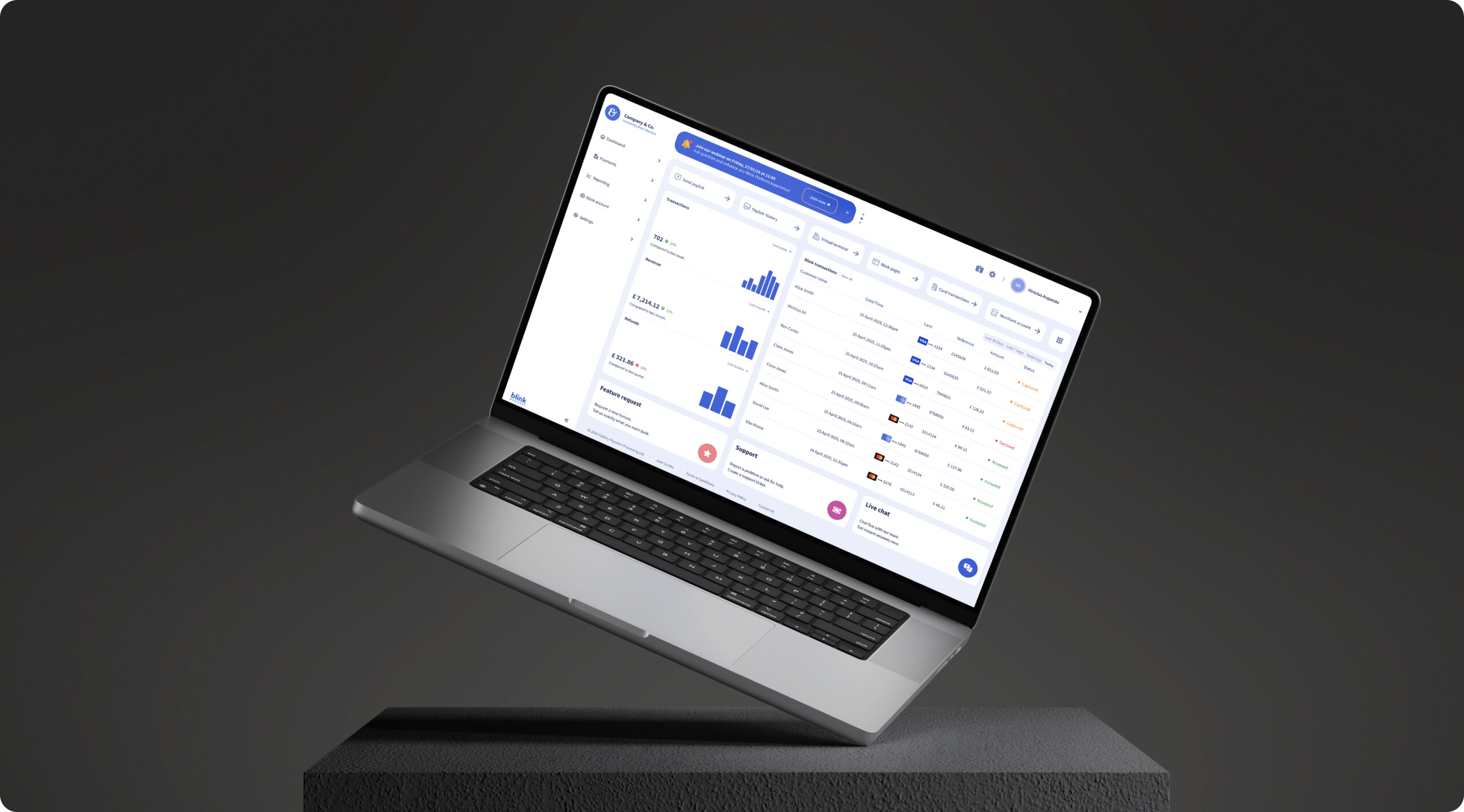
We’re introducing upcoming updates to the Blink Payment platform, designed to make everyday tasks simpler, faster, and more intuitive.
This upcoming UI and UX update focuses on improving navigation, reducing complexity and giving users greater control over how they manage payments and reporting.
While more details will follow after the full rollout, here’s an early look at what you can expect when the new version goes live for everyone.
What’s changing in the new Blink Payment platform?
The updated platform introduces a cleaner structure, improved layouts and a more consistent user experience across all areas.
Key improvements include:
- clearer navigation and page structure → find what you need in seconds, reducing time spent searching across pages
- simplified naming conventions → no more second-guessing, making it easier for new and existing users to complete tasks confidently
- improved mobile responsiveness → manage payments and reporting seamlessly on any device, whether in the office or on the go
- faster workflows across payments and reporting → complete common tasks more quickly, with fewer steps and less friction
- better visibility and control for users → access clearer data and tools, helping you make faster and more informed decisions
Importantly, nothing has been removed. All existing features remain available – they are simply easier to access and use.
A simpler navigation and layout
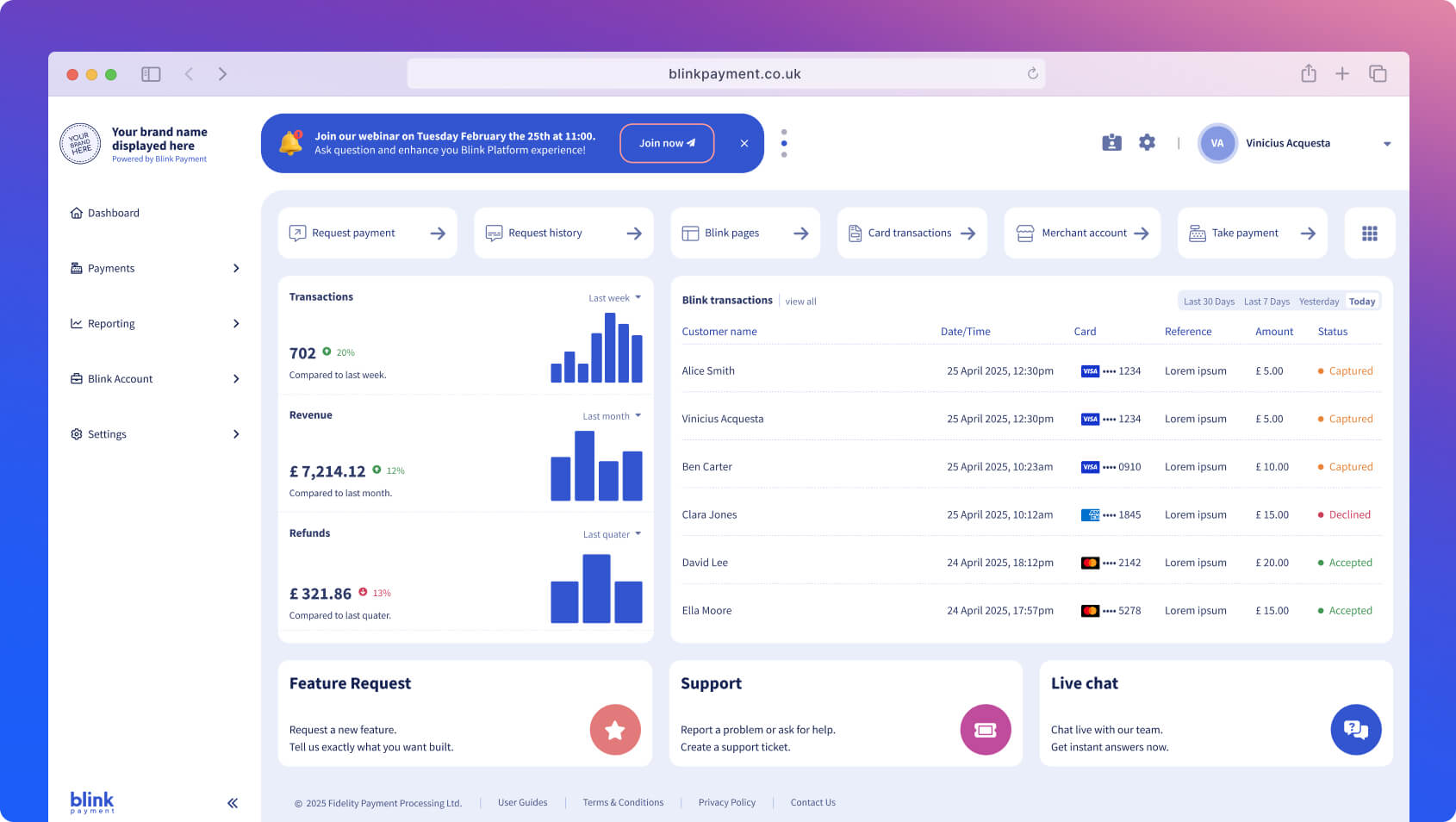
One of the biggest changes is how the platform is organised.
The main menu is now grouped into six core sections:
- Dashboard
- Payments
- Reporting
- Blink pages
- My Blink account
- Settings
This new structure makes it easier to find what you need without navigating through multiple layers.
Additional improvements include:
- logically grouped pages for faster access, and where you would expect them → spend less time navigating and more time completing tasks
- a collapsible side menu to maximise workspace, giving you a cleaner view → focus on the information that matters without unnecessary distractions
- a fully mobile responsive design for use on any device → work flexibly from desktop, tablet or mobile without losing functionality
Overall, the new layout reduces friction and helps users complete tasks more efficiently.
Clearer naming across the platform
To improve usability and reduce confusion, several features have been renamed, making them more intuitive for users.
Key updates include:
- Request payment → Send paylink
- Take a payment → Virtual terminal
- Recent Blink transactions, Blink card transactions, API transactions → Blink card (now merged into one)
These changes create a more consistent language across the platform and make features easier to understand, especially for new users.
Better organisation of features
Some features have been repositioned to create a more intuitive workflow.
For example:
- Repeat payments, Direct Debit and Blink pages are now grouped under Payments
- Branding settings are now centralised under Settings > Branding
By grouping related tools together, users can manage payment processes more efficiently without switching between multiple sections.
A more flexible and personalised dashboard
The dashboard has been redesigned to give users greater control and visibility.
With the new update, you can:
- choose which pages appear on your dashboard
- add up to six quick links to frequently used features
- switch between a detailed or clean layout depending on your preference
Support is also easier to access, with tickets, chat and requests available directly from the dashboard.
This makes the dashboard a more practical and personalised workspace.
Faster and more intuitive payment experience
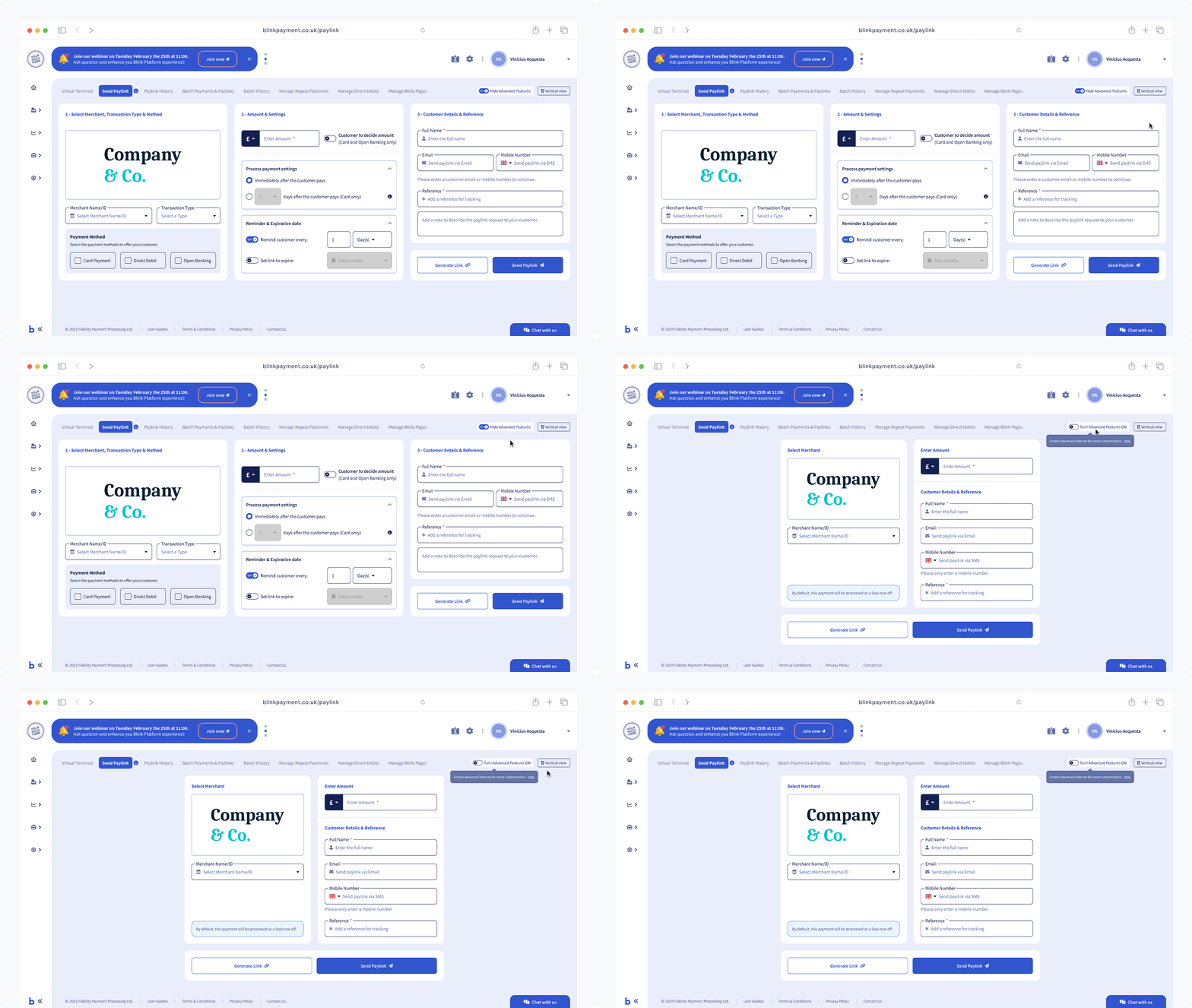
The Payments section has been significantly improved to streamline common tasks.
Send paylink
Creating paylinks is now quicker and more flexible, with:
- a new “simple mode” for faster setup
- vertical and horizontal layout options
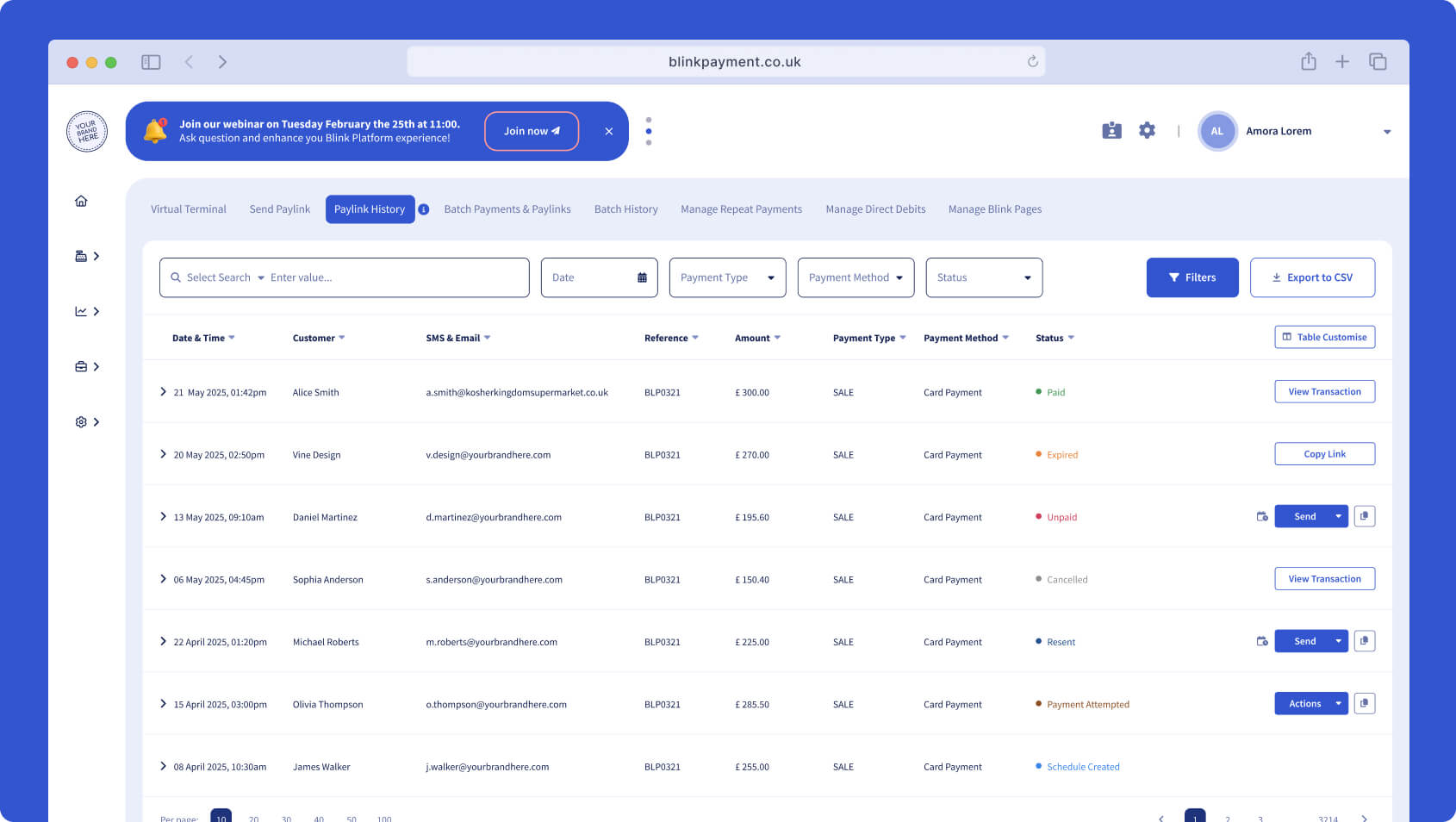
Paylink history
The updated design makes it easier to:
- filter transactions
- review payment activity
- locate specific paylinks
Virtual terminal
The virtual terminal now includes the same flexible options as Send paylink, creating a more consistent experience across payment methods.
Batch payments
Batch processing has been enhanced with:
- drag-and-drop file uploads
- clearer previews before submission
- improved filtering in payment history
Grouped payment tools
Repeat payments, Direct Debit and Blink pages are now all accessible within the Payments section, reducing the time spent navigating between features.
Improved customer checkout
Customer-facing pages such as paylinks and Blink pages have been redesigned with:
- clearer layouts
- improved usability
- mobile-friendly checkout experiences
This helps create a smoother payment journey for end users.
Improved reporting and data visibility
Reporting tools have been updated to provide clearer insights and faster access to data.
Enhancements include:
- cleaner table layouts
- faster filtering options
- easier data exports
Additionally, multiple transaction views have been merged into a single Blink card page, simplifying how users track payment activity.
Users can also customise tables by showing or hiding specific columns, making reports more relevant to their needs.
Streamlined account and settings management
Managing account settings is now more straightforward, with improved structure and usability.
Branding in one place
All branding controls – including logos, receipts, paylinks and Blink pages – are now centralised within a single page under Settings.
Improved user management
User management has been simplified with:
- easier filtering
- quicker editing options
Payment preferences
Setting up and managing payment preferences is now more intuitive, with a cleaner and more guided flow.
Clearer account information
Account details, statements, invoices and Blink plan information have all been redesigned for:
- better clarity
- easier navigation
- simpler downloads
A more intuitive Blink Payment experience
This upcoming update is focused on making the platform easier to use without changing the functionality you rely on.
With improved navigation, clearer layouts and more streamlined workflows, the new Blink Payment platform is designed to help you manage payments more efficiently from day one.
If you have any questions or would like support at any stage, our team is here to help. You’ll be able to reach out directly from within the platform via live chat, or contact us through your usual support channels.